 Ma Nan
b2791e3aae
Ma Nan
b2791e3aae
feat: add pie cutter
feat: support 4d time data
chora: change operators name
docs: update README.md
8.7 KiB
Nodes
Mask Methods
⬆️ Mask by Threshold
-
-
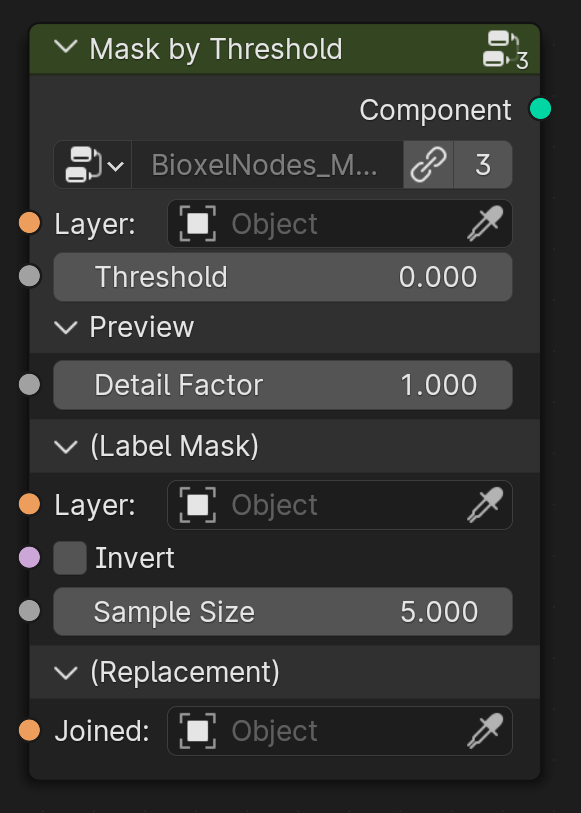
Generate a mask by keeping only the positions that exceed the threshold (this only works with scalar)
Node Parameter:
- Layer, the input scalar
- Threshold, the threshold value
- Preview
- Detail Factor, the fineness of the preview, the larger the factor, the coarser preview is
- (Label Mask)
- Layer, the input label
- Invert, invert mask
- Sample Size, the mask sample size
- (Replacement)
- Joined, the joined layer

↕ Mask by Range
-
-
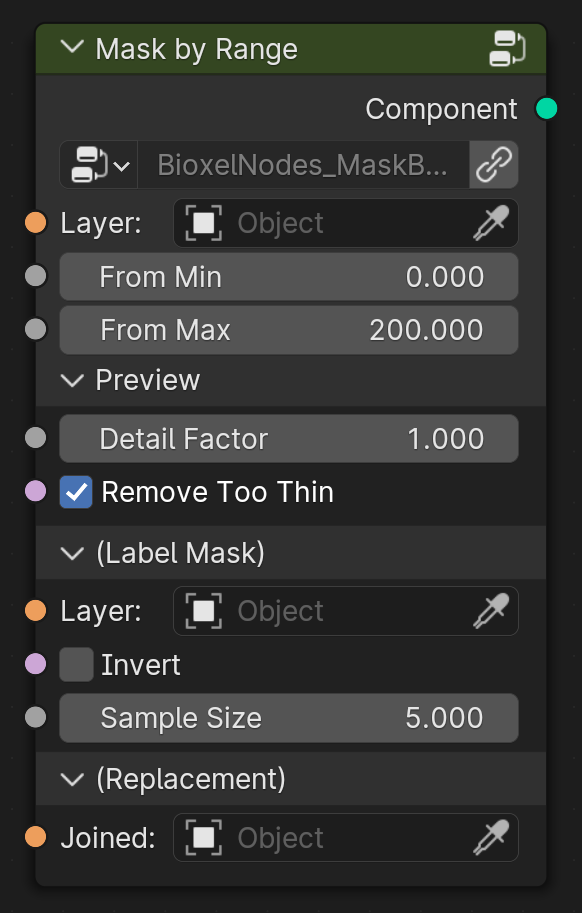
Generate a mask by keeping only the positions that in range (this only works with scalar)
Node Parameter:
- Layer, the input scalar
- Fram Min, the lower limit
- Fram Max, the upper limit
- Preview
- Detail Factor, the fineness of the preview, the larger the factor, the coarser preview is
- (Label Mask)
- Layer, the input label
- Invert, invert mask
- Sample Size, the mask sample size
- (Replacement)
- Joined, the joined layer

🔤 Mask by Label
-
-
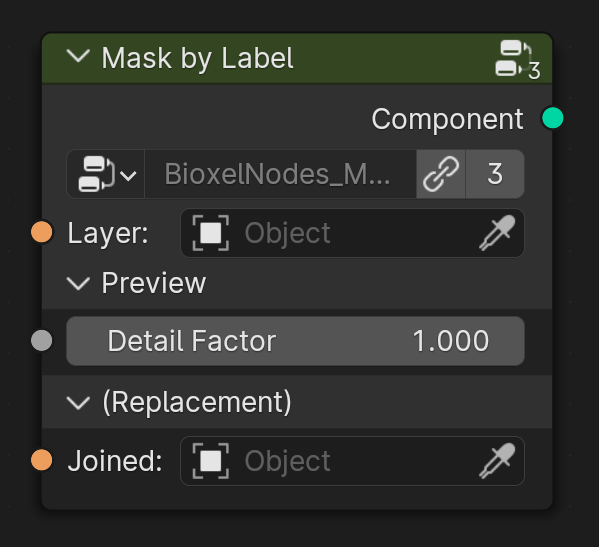
Generate a mask by keeping only the positions that in label (this only works with label)
Node Parameter:
- Layer, the input label
- Preview
- Detail Factor, the fineness of the preview, the larger the factor, the coarser preview is
- (Replacement)
- Joined, the joined layer

Shaders
🥚 Solid Shader
-
-
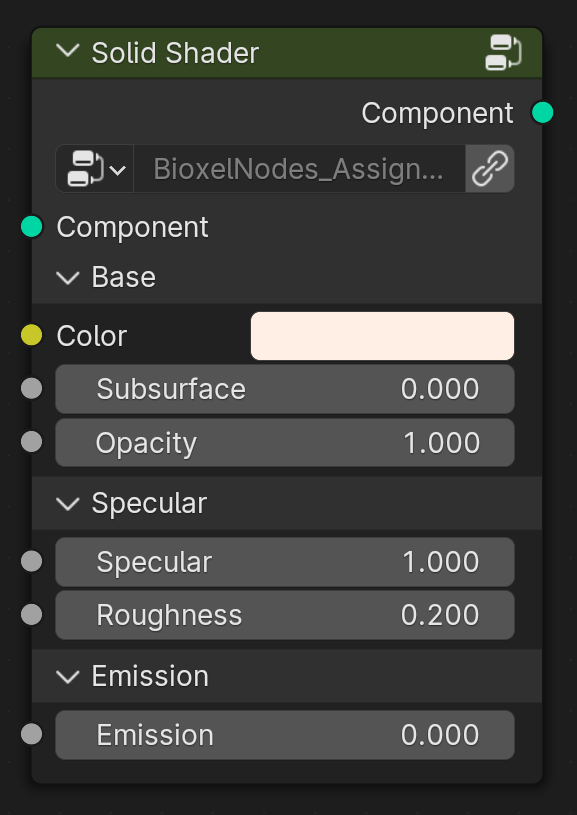
Assign a opaque shader based on a preview mesh with no inclusions visible. Fastest rendering speed. Does not support cross-section and color ramp.
Node Parameter:
- Component, the upstream component
- Base
- Color, albedo or emission color
- Subsurface, the subsurface scale
- Opacity, the opacity of all
- Specular
- Specular, the specular of surface
- Roughness, the roughness of surface
- Emission
- Emission, the emission strength
- Component, the upstream component

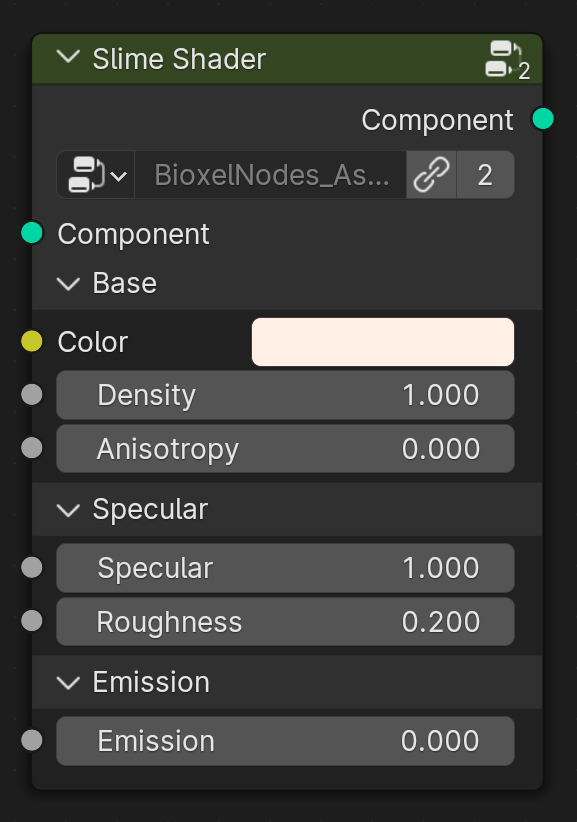
🦠 Slime Shader
-
-
Assign a semi-transparent shader based on the preview mesh with visible inclusions. Does not support cross-section and color ramp.
Node Parameter:
- Component, the upstream component
- Base
- Color, albedo or emission color
- Density, the degree of solidity
- Anisotropy, the anisotropy of scatting
- Specular
- Specular, the specular of surface
- Roughness, the roughness of surface
- Emission
- Emission, the emission strength

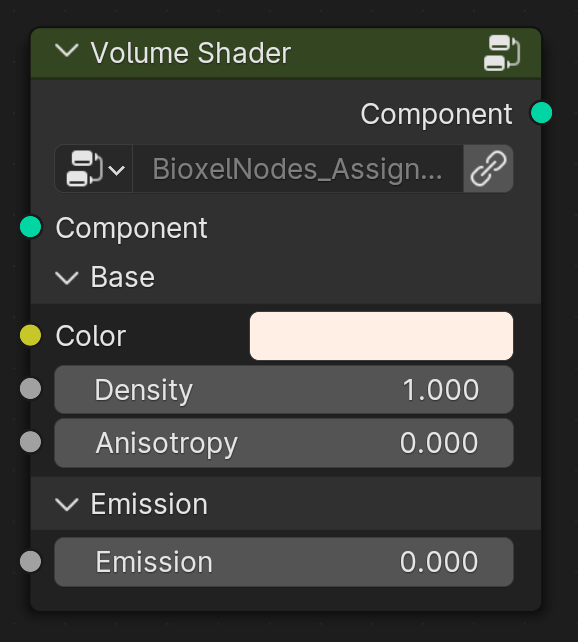
☁️ Volume Shader
-
-
Assign a volume-based shader with support for cross-section and color ramp.
Node Parameter:
- Component, the upstream component
- Base
- Color, albedo or emission color
- Density, the degree of solidity
- Anisotropy, the anisotropy of scatting
- Emission
- Emission, the emission strength

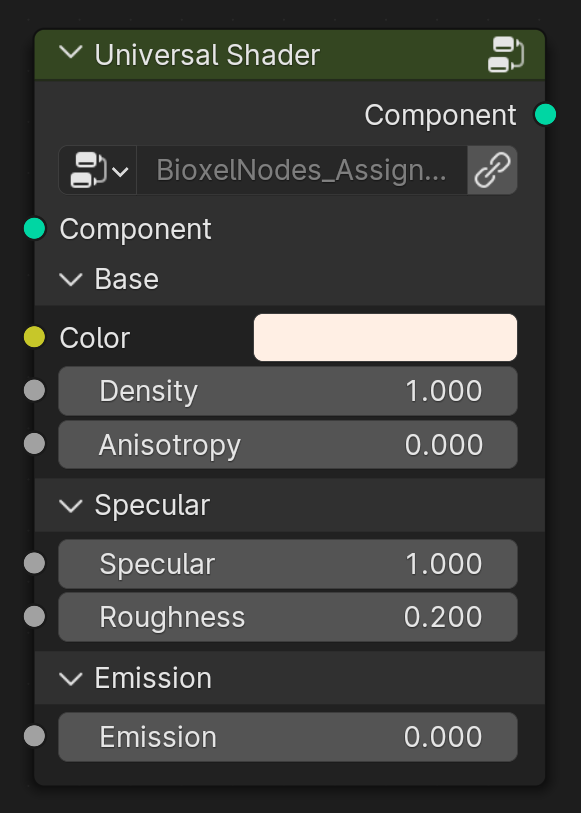
🔬 Universal Shader
-
-
Assign a ultimate shader, supporting all features of Bioxel Nodes. Of course, the price is slow rendering, which can be greatly improved by adjusting the Volumes > Step Rate to 100 in the Render Settings Panel.
Node Parameter:
- Component, the upstream component
- Base
- Color, albedo or emission color
- Density, the degree of solidity
- Anisotropy, the anisotropy of scatting
- Specular
- Specular, the specular of surface
- Roughness, the roughness of surface
- Emission
- Emission, the emission strength

Cutters
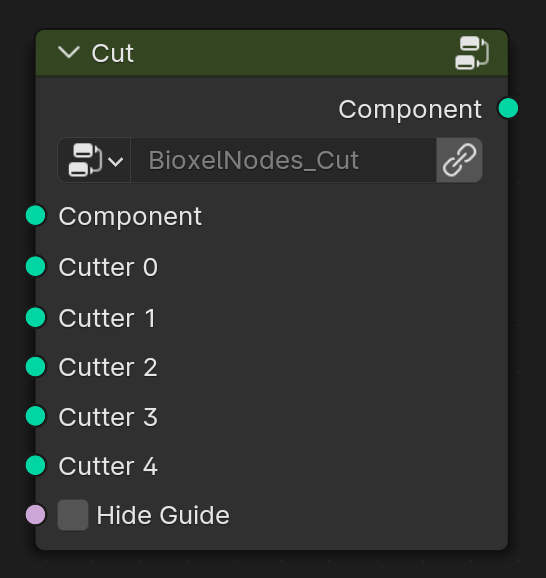
🪚 Cut
-
-
Execute all cutters on one component.
Node Parameter:
- Component, the upstream component
- Cutter 0~4, the cutters
- Hide Guide, hide the cutter guide

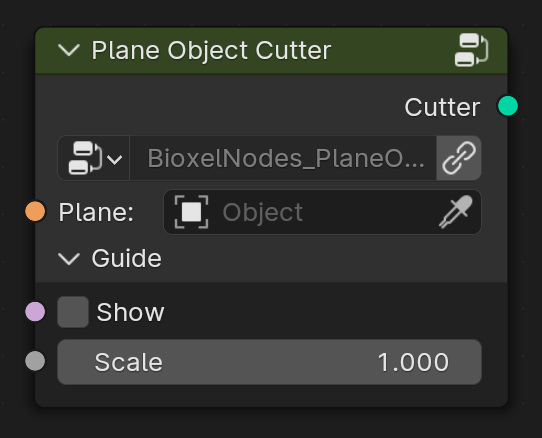
🧀 Plane Object Cutter
-
-
Also a plane cutter, but origin and direction are based on exist object.
Node Parameter:
- Plane, the plane object
- Guide
- Show, show the cutter guide
- Scale, scale the cutter guide

Colors
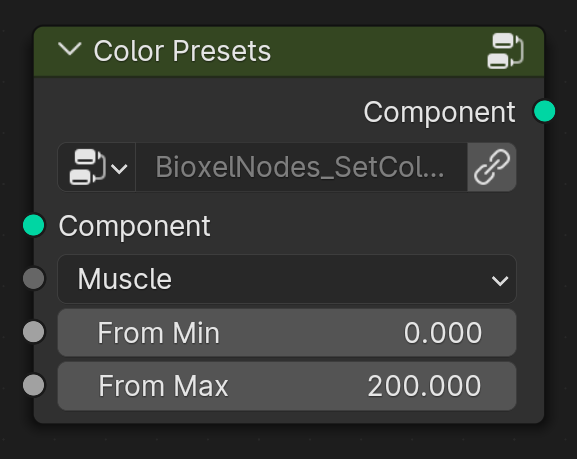
🎨 Color Presents
-
-
Set color from presets.
Node Parameter:
- Component, the upstream component
- Presets, select color presents
- Fram Min, ramp factor lower limit
- Fram Max, ramp factor upper limit

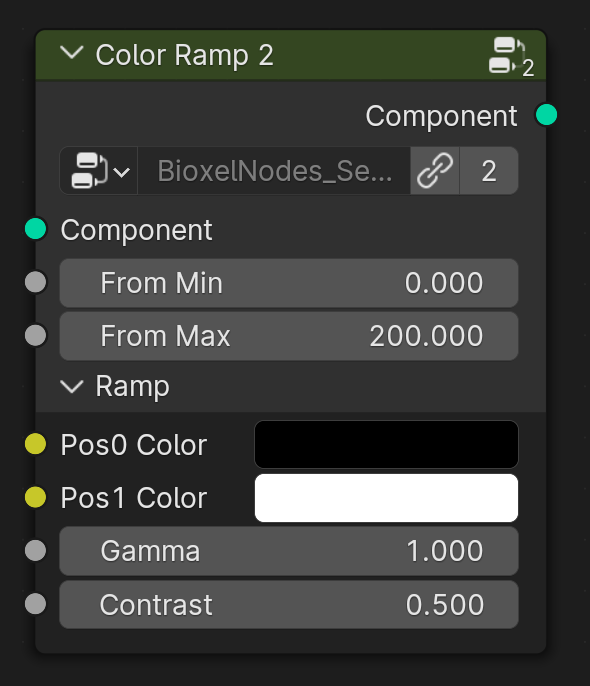
2️⃣ Color Ramp 2
-
-
Set color ramp base on scalar value.
Node Parameter:
- Component, the upstream component
- Fram Min, ramp factor lower limit
- Fram Max, ramp factor upper limit
- Ramp
- Pos0 Color, position 0% Color
- Pos1 Color, position 100% Color
- Gamma, non-linear coefficient, the larger the coefficient, the more lower value color
- Contrast, the larger the contrast, the harder color ramp will be

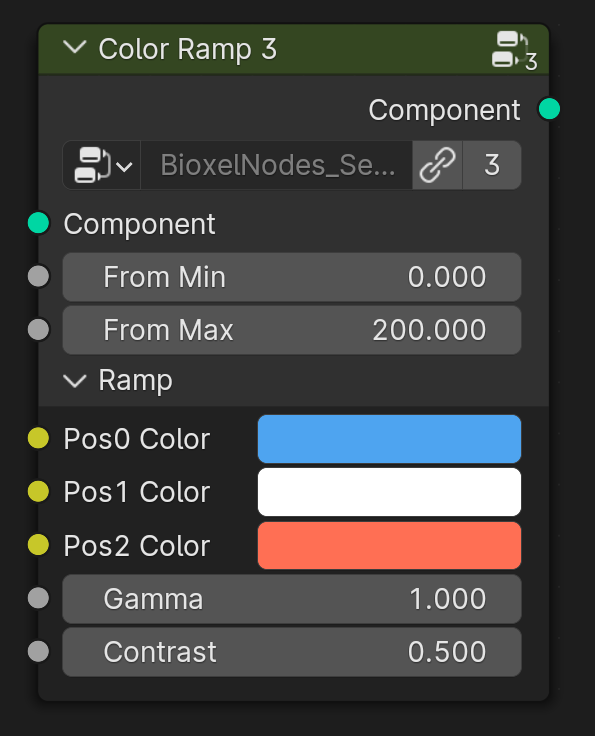
3️⃣ Color Ramp 3
-
-
Set color ramp base on scalar value.
Node Parameter:
- Component, the upstream component
- Fram Min, ramp factor lower limit
- Fram Max, ramp factor upper limit
- Ramp
- Pos0 Color, position 0% Color
- Pos1 Color, position 50% Color
- Pos2 Color, position 100% Color
- Gamma, non-linear coefficient, the larger the coefficient, the more lower value color
- Contrast, the larger the contrast, the harder color ramp will be

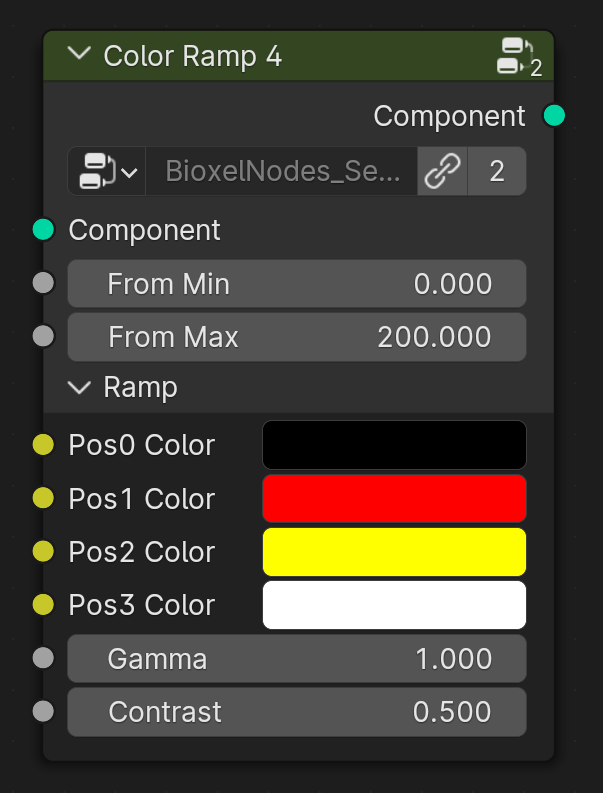
4️⃣ Color Ramp 4
-
-
Set color ramp base on scalar value.
Node Parameter:
- Component, the upstream component
- Fram Min, ramp factor lower limit
- Fram Max, ramp factor upper limit
- Ramp
- Pos0 Color, position 0% Color
- Pos1 Color, position 33.3% Color
- Pos2 Color, position 66.6% Color
- Pos3 Color, position 100% Color
- Gamma, non-linear coefficient, the larger the coefficient, the more lower value color
- Contrast, the larger the contrast, the harder color ramp will be

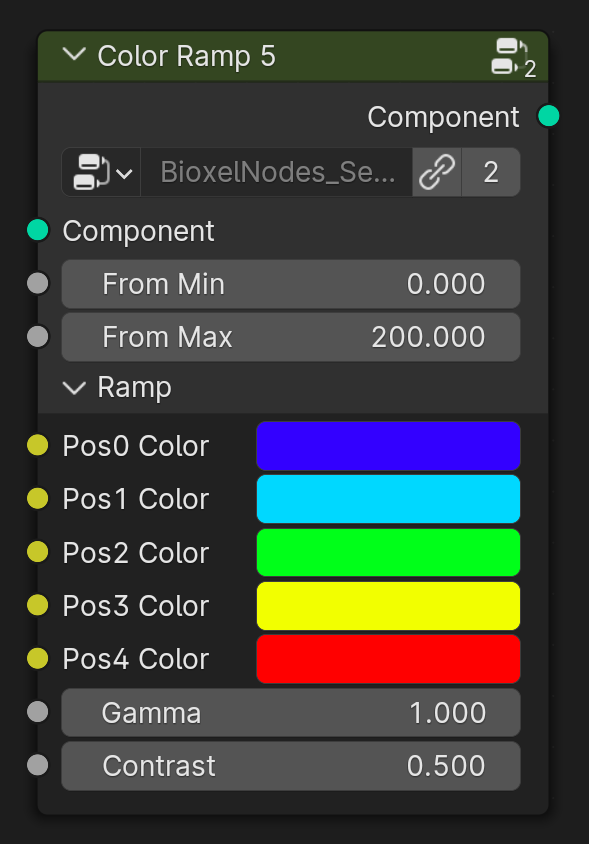
5️⃣ Color Ramp 5
-
-
Set color ramp base on scalar value.
Node Parameter:
- Component, the upstream component
- Fram Min, ramp factor lower limit
- Fram Max, ramp factor upper limit
- Ramp
- Pos0 Color, position 0% Color
- Pos1 Color, position 25% Color
- Pos2 Color, position 50% Color
- Pos3 Color, position 75% Color
- Pos4 Color, position 100% Color
- Gamma, non-linear coefficient, the larger the coefficient, the more lower value color
- Contrast, the larger the contrast, the harder color ramp will be

Utils
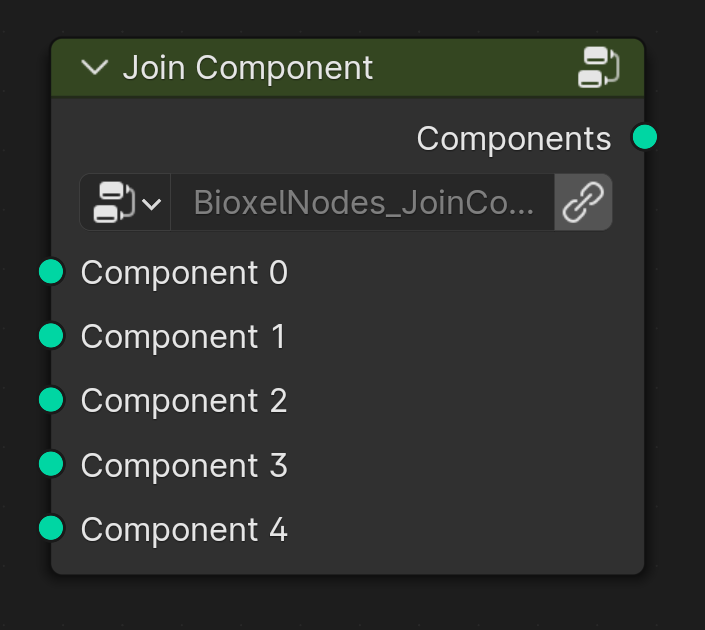
📦 Join Component
-
-
Components' combination should not be done by "Join Geometry" node because Blender Cycles can't render volumes in the same position, so the node will slightly offset all components randomly to avoid this problem.
Node Parameter:
- Component 0~4, the components
